Skip to content
  • Categories
  • Recent
  • Tags
  • Popular
  • Users
  • Groups
Skins
  • Light
  • Cerulean
  • Cosmo
  • Flatly
  • Journal
  • Litera
  • Lumen
  • Lux
  • Materia
  • Minty
  • Morph
  • Pulse
  • Sandstone
  • Simplex
  • Sketchy
  • Spacelab
  • United
  • Yeti
  • Zephyr
  • Dark
  • Cyborg
  • Darkly
  • Quartz
  • Slate
  • Solar
  • Superhero
  • Vapor

  • Default (Darkly)
  • No Skin
Collapse
Electric Airhip Forums

Electric Airship Forums

pianotmP

pianotm

@pianotm
About
Posts
16
Topics
9
Shares
0
Groups
0
Followers
0
Following
0

Posts

Recent Best Controversial

  • Custom Random Encounter System (2000/2003)
    pianotmP pianotm

    Alternate Random Encounter System
    System agnostic: useless in XP and after. (Is actually probably useless in 2003, too. I think it has an option to turn of automatic game overs.)

    There are any number of reasons a developer may not want to use the default Random Encounter system in RPG Maker 2000, but I think the main reason most people will want a custom Random Encounter system is so that they can use custom death handlers, wherein you don't want dying to lead to an automatic game over screen. It's pretty clear to anyone that if you call battles with events, you can tick the box open a conditional branch instead of the game over screen, but the default Random Encounters have no such option, nor is there any way to bypass the automatic game over in battle events.

    You will need a fair understanding of variables and switches.

    We are going to create:

    1. A player tracker.
    2. A step counter.
    3. A series of encounter rollers.
    4. An encounter tracker.

    We will start with the player tracker.

    PLAYER TRACKER

    We assume this is a blank project. Open your database and go to common events. Name your first common event “Player Tracker”. Set the Trigger to Parallel Process. Tick the Condition Switch box, create the Switch to 0001: Player Tracker and set the common event to switch 0001. In the player tracker, create the following variables.

    @> Control Variables: [0002:Player X] = Player's X Coordinate
    @> Control Variables: [0003:Player Y] = Player's Y Coordinate
    

    This is it. That is the entire common event.

    STEP COUNTER

    Go to common event 2. Name it Step Counter. Set to the same triggers as your player tracker. Trigger is Parallel Process; switch is 0001: Player Tracker. In the step counter, on the first line, Get Player Location. In Get Player Location, create and set the variables to 0004: Map ID, 0005: Step X, and 0006: Step Y in Map ID:, X Coordinate:, and Y Coordinate respectively.

    In line 2, use the Wait command, and set it to a very small increment: 0.1 or 0.2 will each work fine. In line 3, place a conditional branch tracking Player X and in the else branch, create Variable 0007: Step Counter and set to add 1. As follows:

    @>Conditional Branch: Variable[0002:Player X] == Variable [0005]
      @>
    : Else
      @> Control Variables: [0007:Step Counter] += 1
      @>
    : Branch End
    

    Create a second Conditional Branch tracking Player Y.

    @>Conditional Branch: Variable[0003:Player Y] == Variable [0006]
      @>
    : Else
      @> Control Variables: [0007:Step Counter] += 1
      @>
    : Branch End
    

    Now, if we were JUST creating a step counter, I'd end this here, but we're not. We're creating a Random Encounter system, and we need a fail safe in case the process fails. Create a third conditional branch that resets your Step Counter to zero if so many steps have been taken.

    @>Conditional Branch: Variable[0007:Step Counter] >= 25
      @> Control Variables: [0007:Step Counter] = 0
      @>
    : Branch End
    

    With this third branch, we've created the first part of our Random Encounter range; the maximum step counter, but this does not mean that the most you'll be able to take is 25 steps before an encounter. No. The particular RE system I designed here needs a bit of care in designating step limits. You see, it can miss, and if that happens, you need a way to go back, which is what this does. Technically, the counter should never reach 25. But it can and since that will be out of our encounter range, we want to make sure it can reset.

    RANDOM ENCOUNTER EVENTS: PART 1

    At this point, you should have two full common events; the Player Tracker and the Step Counter. Now, it is time for the third common event: The Random Encounter event. So go ahead and create a new common event called Random Encounters. Set it to parallel process, and set it to switch 3. Name this switch “Random Encounters”. You are going to need a series of conditional branches in this, and this could get rather long depending on how long your game is and how many different encounter areas you plan on having. Now, you'll note that I've left variable one blank. That's because I like to set my random variables in as close to the beginning of the list as possible. You can put it anywhere, but for this tutorial, variable 1 will be our random dice roller. So, our very first conditional branch will set our minimum steps for random encounters. In this tutorial, we are setting that to 15, which means, our conditional branch will be looking for the step counter variable to hit 15. In this branch, we'll create our dice roller. Name control variable 1 “Random” and set it as Random 1 through 4.

    @>Conditional Branch: Variable[0007:Step Counter] == 15
      @> Control Variables: [0001:Random] +1= Random [1...4]
      @>
    : Branch End
    

    What we are setting this to is a one in four chance of hitting a random encounter. If you roll 1, you hit an encounter. If you don't, the counter keeps going. How high it should go before cycling back will be in our next branch, so create your second branch below this one.

    @>Conditional Branch: Variable[0007:Step Counter] == 20
      @> Control Variables: [0001:Random] +1= Random [1...4]
      @>
    : Branch End
    

    And “Wait!” You say! This doesn't cycle anything! This is just another point that could potentially hit an encounter! And that's right. This is simply the intended topmost number that an encounter is rolled, but we need to determine what happens if you roll an encounter or if you miss an encounter. If you miss, we need to reset the step counter, and we don't want to go all the way back to zero because that can actually cause an issue where you could go several hundred steps before hitting an encounter. We are creating a loop where the counter reaches 15, and then creates a loop between 16 and 20 where it is constantly rolling an encounter chance. So let's make that random dice roller actually do something, now. You're going to create a series of conditional branches that determine whether you hit a random encounter, or your steps keep counting.

    @>Conditional Branch: Variable[0001:Random] == 1
      @> Comment: This one hits. We need to call a common event that doesn't exist yet, so use this
      @>                 : comment as a place holder. All others will not hit, so they are easy to deal with. :
      @>
    : Branch End
    @>Conditional Branch: Variable[0001:Random] == 2
      @> Control Variables: [0007:Step Counter] = 16
      @> Control Variables: [0001:Random] = 0
      @> 
    : Branch End
    @>Conditional Branch: Variable[0001:Random] == 3
      @> Control Variables: [0007:Step Counter] = 16
      @> Control Variables: [0001:Random] = 0
      @> 
    : Branch End
    @>Conditional Branch: Variable[0001:Random] == 4
      @> Control Variables: [0007:Step Counter] = 16
      @> Control Variables: [0001:Random] = 0
      @> 
    : Branch End
    

    There is your Random Encounters event, and clearly, we're not done with it, but we need to leave it for now. What we've created is a random encounter step system that reaches 15, rolls for an encounter, and then if it misses, rolls a random encounter every four steps to see if you hit an encounter. Each roll has a one in four chance of either hitting an encounter and going back to zero, or a three in four chance of missing and rerolling four steps later. Now, this looks like it can't go past 20, but it can. You're forgetting that the step counter isn't perfect, and needs a wait command to make sure it doesn't just start counting up whether you move or not. Because of this, it can absolutely shoot past 20 and just keep going (it won't happen often, but it does happen, and it will absolutely break your Random Encounter system), and you can see here that if that happens, there is no handler to bring the counter back to 0 or 16. Hence why the step counter has a handler that brings everything back to 0 if the counter is more than 25. I suppose I could have set the above handler to Equal to or Greater than 20, but I didn't want to add that to miss chance. Why do I like this? You're probably going to hit a random encounter between 15 to 30 or so steps, but occasionally, you can go 50, 60, 70 or more steps without an encounter. The dice really decide instead of an upper limit.

    Your entire code for this event should look like this.

    @>Conditional Branch: Variable[0007:Step Counter] == 15
      @> Control Variables: [0001:Random] +1= Random [1...4]
      @>
    : Branch End
    @>Conditional Branch: Variable[0007:Step Counter] == 20
      @> Control Variables: [0001:Random] +1= Random [1...4]
      @>
    : Branch End
    @>Conditional Branch: Variable[0001:Random] == 1
      @> Comment: This one hits. We need to call a common event that doesn't exist yet, so use this
      @>                 : comment as a place holder. All others will not hit, so they are easy to deal with. :
      @>
    : Branch End
    @>Conditional Branch: Variable[0001:Random] == 2
      @> Control Variables: [0007:Step Counter] = 16
      @> Control Variables: [0001:Random] = 0
      @> 
    : Branch End
    @>Conditional Branch: Variable[0001:Random] == 3
      @> Control Variables: [0007:Step Counter] = 16
      @> Control Variables: [0001:Random] = 0
      @> 
    : Branch End
    @>Conditional Branch: Variable[0001:Random] == 4
      @> Control Variables: [0007:Step Counter] = 16
      @> Control Variables: [0001:Random] = 0
      @> 
    : Branch End
    

    ENCOUNTER TRACKING

    Let's save all of this and get out of the database for the time being. We need a way to determine the encounter area, and which encounters your player will hit, which is very simple to do. This part won't take long, and is necessary to continuing with our Random Encounter events. Create an event that is called every time your character enters a new area. The transfer can easily serve this purpose, but if you're on a world map where entering a new area doesn't use a transfer, you'll have to set up paths where the character has to pass through and will trigger an event. Set this event to “Below Player” and to “Player Touch”. In the contents window, create a variable. We'll make this Control Variables: [0009: Encounter Area] = 1. Or 2, or 3, or 4 if those are the areas you're moving into. If it's a transfer, pop it anywhere in the content screen there.

    That's all. Simply number your areas and make sure your player triggers that area every time they enter it. If it's not being done with a transfer, you'll probably want to do it with two events per area: the first one you step on is the area you're currently in, and the second one following it triggers the new area.

    alt text
    [img]/media/content/users/40682/locker/Encounter_Tracker_2.png[/img]
    Note where on the map each event is highlighted.

    RANDOM ENCOUNTER EVENTS: PART 2

    Now, let's give you're encounter roller something to call. You will want to allocate a series of common events for this. Each common event will be your encounter region. In each common event, you will designate which monsters get encountered for each area. So let's assemble the first area event.

    Create a new common event called “Area 1”. Please keep these numbers consistent since we'll be using them to correspond with your Encounter Area variable. This event will be set to “none”. It will be called in your Random Encounters event. Remember where we set that comment? Don't worry about that yet. There's a little bit we have to do there.

    Time to roll the dice. The encounter has been called! But which monster? Which monster? We'll assume you have you three monsters encounters in your first area. At the top of the content box, place a random variable set to 1 through 3.

    @> Control Variables: [0001:Random] +1= Random [1...3]
    

    Yes, you can use the same random variable. It's simply a dice roller, after all. So, for three monster encounters, you need three conditional branches! If Variable 1 equals 1, 2, or 3! In each branch, set each monster encounter with the Battle Processing command. Allow escape, and tick the circle to “interrupt event” if player chose to escape. Tick the circle to “Conditional Branch” under the “If Defeated” setting (even if you want a regular game over, you should do this.). Under the Win condition of the Battle Processing branch, set your Step Counter, Variable 0007 to 0 and your Random variable, Variable 0001 to 0. In the “If defeated” handler, do whatever you want! Call a custom game over! Call a regular game over (there are really plenty of other reasons to want to make a custom encounter system that has nothing to do with skipping the game over!)! Transport your character to a new location!

    @>Conditional Branch: Variable[0001:Random] == 1
      @> Battle Processing: Troop 1
       : If Won
        @> Control Variables: [0001:Random] = 0
        @> Control Variables: [0007:Step Counter] = 16
        @> End Event Processing
       : If Defeated  
        @> Comment: I will leave up to you what happens here.
        @>
    : Branch End
    @>Conditional Branch: Variable[0001:Random] == 2
      @> Battle Processing: Troop 2
       : If Won
        @> Control Variables: [0001:Random] = 0
        @> Control Variables: [0007:Step Counter] = 16
        @> End Event Processing
       : If Defeated  
        @> Comment: I will leave up to you what happens here.
        @>
    : Branch End
    @>Conditional Branch: Variable[0001:Random] == 3
      @> Battle Processing: Troop 3
       : If Won
        @> Control Variables: [0001:Random] = 0
        @> Control Variables: [0007:Step Counter] = 16
        @> End Event Processing
       : If Defeated  
        @> Comment: I will leave up to you what happens here.
        @>
    : Branch End
    

    As a redundancy, copy the two control variables and the End Event Processing command in your win condition, and paste them at the end of the Area 1 Common Event after all conditional branches. This is just so your character doesn't get jammed up if for some reason, something doesn't fire correctly.

    Return to your Random Encounters Common Event. Recall the random roll that hit but we put a comment in? Here it is:

    @>Conditional Branch: Variable[0001:Random] == 1
      @> Comment: This one hits. We need to call a common event that doesn't exist yet, so use this
      @>                 : comment as a place holder. All others will not hit, so they are easy to deal with. :
      @>
    : Branch End
    

    In place of that comment, place another conditional branch. If Variable Encounter Area is equal to 1, set variables 7 and 1 to 0, and call common event: Area 1. You'll have something that looks like this:

    @>Conditional Branch: Variable[0001:Random] == 1
      @>Conditional Branch: Variable[0009:Encounter Area] == 1
      @> Control Variables: [0007:Step Counter] = 0
      @> Control Variables: [0001:Random] = 0
      @> Call Event: Area 1
      @>
    : Branch End
    

    Want more? Create a second common event called Area 2! Repeat the instructions for Area 1, except replace your creatures with harder enemies. If you want more enemy troops, increase the random number, and increase the number of conditional branches to match. Once you've done that, update your map with the new Encounter Area variable events, and return to Random Encounters and update your code.

    @>Conditional Branch: Variable[0001:Random] == 1
      @>Conditional Branch: Variable[0009:Encounter Area] == 1
        @> Control Variables: [0007:Step Counter] = 0
        @> Control Variables: [0001:Random] = 0
        @> Call Event: Area 1
      : Branch End
      @>Conditional Branch: Variable[0009:Encounter Area] == 2
        @> Control Variables: [0007:Step Counter] = 0
        @> Control Variables: [0001:Random] = 0
        @> Call Event: Area 2
       : Branch End
      @>
    : Branch End
    @>
    

    Now, Your Random Encounters event should look like this.

    @>Conditional Branch: Variable[0007:Step Counter] == 15
      @> Control Variables: [0001:Random] +1= Random [1...4]
      @>
    : Branch End
    @>Conditional Branch: Variable[0007:Step Counter] == 20
      @> Control Variables: [0001:Random] +1= Random [1...4]
      @>
    : Branch End
    @>Conditional Branch: Variable[0001:Random] == 1
      @>Conditional Branch: Variable[0009:Encounter Area] == 1
        @> Control Variables: [0007:Step Counter] = 0
        @> Control Variables: [0001:Random] = 0
        @> Call Event: Area 1
      : Branch End
      @>Conditional Branch: Variable[0009:Encounter Area] == 2
        @> Control Variables: [0007:Step Counter] = 0
        @> Control Variables: [0001:Random] = 0
        @> Call Event: Area 2
       : Branch End
      @>
    : Branch End
    @>
    @>Conditional Branch: Variable[0001:Random] == 2
      @> Control Variables: [0007:Step Counter] = 16
      @> Control Variables: [0001:Random] = 0
      @> 
    : Branch End
    @>Conditional Branch: Variable[0001:Random] == 3
      @> Control Variables: [0007:Step Counter] = 16
      @> Control Variables: [0001:Random] = 0
      @> 
    : Branch End
    @>Conditional Branch: Variable[0001:Random] == 4
      @> Control Variables: [0007:Step Counter] = 16
      @> Control Variables: [0001:Random] = 0
      @> 
    : Branch End
    

    FINISHING TOUCHES

    There's more to do! This is a very involved process! You need to tell your game when your character is facing enemies, and when they aren't. This is very simple. In areas that don't have enemy encounters, simply turn Switch 0003:Random Encounters OFF. In areas where you DO face random encounters, turn it ON! Again, this can be done in the transfer, or if there is no transfer, make sure your character must trigger an event to get to and from areas with encounters and toggle the switch there.

    Now, let's take a look at all of these, in engine, together!

    alt text
    alt text
    alt text
    alt text
    alt text

    I hope you find this useful!

    RM2k Support 2000 rm2000 rm2k tutorial 2k3

  • rpgmakerweb update on TwiX
    pianotmP pianotm

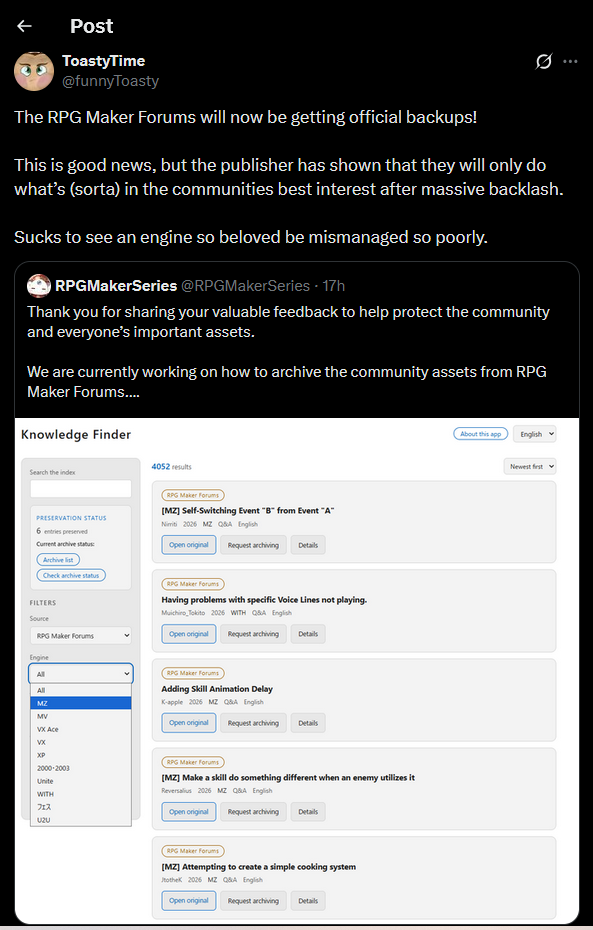
    RMW Update on TwiX

    30f9b416-7675-4404-a294-179122146e95-image.png

    Announcements

  • Grimm Investigation (2017)
    pianotmP pianotm

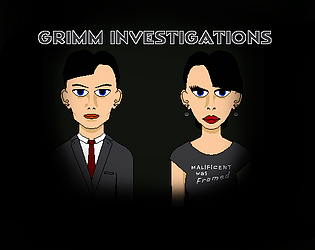
    GrimmCover.png

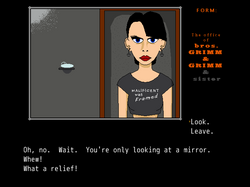
    For RMN 10th B'Day. The Bros. Grimm (and sister) provide PI services in fairy tale land.
    RPG Maker VX Ace

    Grimm Investigation on itch.io

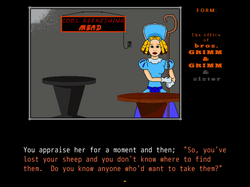
    Little Bo Peep has lost her sheep and she doesn't know where to find them. It's your job to find them. You're a private eye. Play as Cecilia Grimm, the sister, or Wilhelm Grimm, one of the brothers. Gather clues in this text based adventure to liberate the looted lambs. Your prime suspect is the Big Bad Wolf, but remember; in a case like this, nothing is what it seems. This is the case that can finally earn you the respect of Jacob Grimm, your brother and founder of Grimm Investigations, so don't mess up.

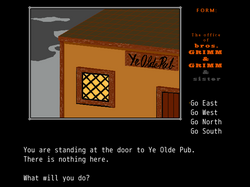
    • A text based adventure with images.
    • Two different story arcs, depending on which Grimm you choose.
    • Two joke endings, two lame duck endings, and eight mystery solutions; twelve endings in all.
    • Autosave. Don't even worry about it. Just turn off the game and pick up where you left off.
    • Original art.
    • Female Protagonist.
      Grimm Investigation on itch.io
    alt text

    alt text

    alt text

    Grimm Investigation on itch.io

    Show Your Games vx ace fairytale game text adventure comedy

  • Custom Random Encounter System (2000/2003)
    pianotmP pianotm

    @DecentTreatment Yeah, I have three or four more tutorials. I'll add those, probably tomorrow and the next day. I've got a lot of stuff to do, and they take awhile to undo the RMN formatting and adjust the picture links.

    RM2k Support 2000 rm2000 rm2k tutorial 2k3

  • rpgmakerweb update on TwiX
    pianotmP pianotm

    Honestly, I prefer to trust Nessie's work. Even if she doesn't manage to back up the forum by the time it goes read-only, I have absolutely confidence in her to get the whole thing.

    Announcements

  • THERMOCLINE: SURVIVAL HORROR RPG
    pianotmP pianotm

    Suppose I said this looks freaking amazing!

    Show Your Games

  • Traps and Trapfinding in RPG Maker 2003 (system agnostic)
    pianotmP pianotm

    Trap Setting

    THIS TUTORIAL ASSUMES THAT YOU UNDERSTAND BASIC EVENTING AND IF I TELL YOU SOMETHING LIKE, CREATE A MOVE ACTION, YOU WILL KNOW WHAT I'M TALKING ABOUT.

    Should work with all RPG Makers. When making traps in any game setting, there are specific questions that need to be asked.

    1. Where are the traps?
    2. Are the traps detectable?
    3. Can they be disabled?
    4. Can they be avoided?
    5. What happens when they're triggered?

    For this tutorial, we'll assume that questions 2, 3, and 4 are all answered “yes”. Traps are extremely simple to make. Ideally, they should be placed on a path in such a way that they cannot be bypassed without finding another route. For gameplay purposes, consider making it impossible to progress without encountering the trap. There are plenty of variations on making a trap. I'm going to show you the method I am currently using.

    It requires two events: the detection event, which is the point on the map in which your protagonist will either see or fail to see your trap, and the second is the trap itself.

    alt text
    Corridor with trap.

    In this first image, I show how a standard trap setup. At the top is the transfer event for another map. If you want to get to that map, you're going to have to get by my trap, Mr. or Mrs. Protagonist! It's not as easy as it sounds! For this tutorial, I've limited you to the mercy of the Random Number Gods! Your skills mean nothing! Success or failure is entirely predicated on how the dice land! Mwahahahaha!!!
    But you will need two variables and four switches, if you dare! You will also need a fifth switch if you want to use the optional enhancement item, but you'd be a fool to try, mortal!

    Variables:

    1. Random Number
    2. Trap Damage
      Switches:
    3. Trap Spotted
    4. Trap Found
    5. Trap Not Found
    6. Trap Disabled
    7. (Optional) Rogue Kit

    The Optional Item
    For this method of adding a trap finding/disabling bonus, this has to be a found item, there should be only one example of it, and finding it should be set to activate the Rogue Kit switch. There are likely better ways of doing this, but this was just the really easy way I came up with that most directly works with the laid out trap finding and disabling method.

    Spotting the Trap
    Let's start with the bottom event; the Trap Detection event. This is painfully simple, it's a single switch.

    1. Set the first page to Player Touch in the trigger condition.
    2. The event priority should default to “below characters”, but just check to make sure it's set to that.
    3. In contents, create a switch, and call it Trap Detection or whatever you like.
    4. Turn Trap Detection on.
    5. Create a second page that is triggered by Trap Detection, and forget about it.
      This is exclusively seeing if you detect the trap or not. How that is done is going to be in the trap itself.

    alt text
    And the next page is blank.

    Before Setting the Trap
    In Age of Myth, I currently had seven traps placed before I decided to create an item that grants a bonus to trap finding and disabling. The item cannot be purchased and only exists in a single location, so I simply turned on a switch upon finding the item. This meant altering my trap detection parameters. I will include that in the tutorial so that you don't find yourself having to go back and make sure all of your traps are corrected like I did. Again, there's a few ways to do this, but I decided that my trap system is simple enough that I didn't want to tie this item to another conditional branch. I basically didn't feel like rewriting the events.

    Setting the Trap
    Time to work on our trap event.

    1. Create a new event and set its trigger to Parallel Process.

    2. Set your first page to be activated on Trap Detection. This way, the parallel process doesn't run the second you enter the map.

    3. In contents, create a variable called “Random Number”. You will be able to use this for every trap, and anything else that needs a random number generator.

    4. In this event, tick Set in Operation, and for Random, choose 1 through 4.
      alt text
      Creating your Random Number Generator.

    5. After creating the Random Number variable, create a conditional branch.

    6. In this conditional branch, tick “variable” and select your Random Number variable. Set it as Equal to 1. Untick the condition handling box at the bottom.
      alt text
      Setting your trap detection method.

    7. Copy and paste this three times so that you have four conditional branches.

    8. Set the other four to 2, 3, and 4 respectively.

    9. In the first, create a message that you've found the trap! Then create a switch called “Trap Found” and turn it on.

    10. In the next conditional branch create a switch named “Trap Not Found” and turn it on. In the two remaining conditional branches, copy paste your Trap Not Found switch.
      alt text
      Congratulations! Your protagonist has a 25 percent chance of spotting a trap.

    11. Copy this page, and press the Paste Page function.

    12. Add your trap finding item switch to the switch triggers for this page as the second switch. Add a conditional branch that successfully finds the trap.
      alt text
      Congratulations! Your protagonist's chance of spotting a trap has improved.

    Now, your protagonist is fully capable of spotting the trap. Now, let's figure out what happens. We will start with what happens if the trap is found. Okay, this is a long procedure. If you feel you've missed a step, refer to the event code that I'll be placing below.

    1. Create a new page, give your trap a sprite, set it to its untriggered appearance and make sure the priority is set to same as character.

    2. Set the Condition to your “Trap Found” switch and set the Trigger to Action Button.

    3. Ask your character if he or she wants to disable or find another way, and give them a choice. Obviously, they'll have to choose to disable the trap before proceeding, so put all handling in that choice, and leave the other choice blank.

    4. Remember your Random Number variable? Call it and set it once again to 1 through 4.

    5. As before, we'll be creating four conditional branches and setting the first one as our success handler. So let's get into that one.

    6. You want something to happen once the disable attempt is made, so in your success handler, simply create a move action that sets the trap to through on and another move action to move the character up and onto the trap. You might also consider awarding them experience.

    7. Create a switch called “Trap Disabled” and turn it on.

    8. The remaining conditional branches are our failure handlers and they will all have identical commands.

    9. Again, move the character up and onto the trap, but this time, create a move action for the trap to change to its triggered sprite, and move the player back off of the trap.

    10. Since this is on the same page, paranoia has me always making a new random number variable. Name this one Trap Damage and set it to 0 through 4 (the 0 is because I also give the character a chance to dodge the trap and avoid taking damage. This is entirely up to you.).

    11. Create five conditional branches looking for the Random Number variable, equal to 0 through 4.

    12. In Conditional Branch 0, simply give a message saying that the character dodged.

    13. In Branches 1 through 4, Change HP: Entire Party: -1 through -4.

    14. Set the trap to through on and turn on your “Trap Disabled” switch.

    15. Copy paste this whole process in the remaining Conditional Branches.
      alt text
      Your Protagonist's health depends on success or failure.

    16. As previously, you can copy paste this page to create a new handler for special trap finding item.
      alt text
      We'd all like an improved chance at avoiding damage, wouldn't we?

    Now that we've figured out what to do if you find the trap, what happens if you don't find the trap? Well, what would you see if you didn't find something? Absolutely nothing so if your random number generator doesn't find the trap, the player should have no indication that the trap is there until they've stepped on it.

    1. Create another page and make the Condition your Trap Not Found switch.

    2. For this, you can simply copy paste the conditions of one of your failed conditional branches from the previous page.
      alt text
      Of course, just not spotting the trap isn't very good for your Protagonist, either.

    3. Create one last page, and set its condition to your Trap Disabled switch. Make sure its priority is “Below Characters” and that it is set to action button. Leave this page empty. The trap is set.

    Alright. To make sure you've got this straight, I am placing the contents of the events below for reference. Apparently, placing this within a hide tag was not an option. I am terribly sorry about that. But, the two events are divided into quotes so they can be distinguished from each other.

    Detection Event:
    Page 1: Player Touch, Below Characters.
    Conditions: none

    @> Control Switches: [0001:Trap Spotted] = ON
    

    Page 2: Action Button, Below Characters.
    Conditions: Trap Spotted is ON.
    Contents: Empty

    Trap Event:
    Page 1: Parallel Process, Below Characters
    Conditions: Trap Spotted is ON.

    @> Control Variables: [0001:Random Number] = Random No. (1...4)
    @> Conditional Branch: Variable [0001:Random Number] == 1
      @> Text: YOU'VE SPOTTED A TRAP!
      @> Control Switches: [0002:Trap Found] = ON
      @>
     : Branch End
    @> Conditional Branch: Variable [0001:Random Number] == 2
      @> Control Switches: [0003:Trap Not Found] = ON
      @>
     : Branch End
    @> Conditional Branch: Variable [0001:Random Number] == 3
      @> Control Switches: [0003:Trap Not Found] = ON
      @>
     : Branch End
    @> Conditional Branch: Variable [0001:Random Number] == 4
      @> Control Switches: [0003:Trap Not Found] = ON
      @>
     : Branch End
    

    Page 2 (OPTIONAL): Parallel Process, Below Characters
    Conditions: Trap Spotted is ON. Rogue Kit switch is ON.

    @> Control Variables: [0001:Random Number] = Random No. (1...5)
    @> Conditional Branch: Variable [0001:Random Number] == 1
      @> Text: YOU'VE SPOTTED A TRAP!
      @> Control Switches: [0002:Trap Found] = ON
      @>
     : Branch End
    @> Conditional Branch: Variable [0001:Random Number] == 2
      @> Text: YOU'VE SPOTTED A TRAP!
      @> Control Switches: [0002:Trap Found] = ON
      @>
     : Branch End
    @> Conditional Branch: Variable [0001:Random Number] == 3
      @> Control Switches: [0003:Trap Not Found] = ON
      @>
     : Branch End
    @> Conditional Branch: Variable [0001:Random Number] == 4
      @> Control Switches: [0003:Trap Not Found] = ON
      @>
     : Branch End
    @> Conditional Branch: Variable [0001:Random Number] == 5
      @> Control Switches: [0003:Trap Not Found] = ON
      @>
     : Branch End
    

    Page 3: Action Button, Same as Characters
    Conditions: Trap Found is ON

    @> Text: Attempt to disable or find another
     :         : way?
    @> Show Choices: Disable, Find another way
     : When [Disable]
      @> Control Variables: [0001:Random Number] = Random No. (1...4)
      @> Conditional Branch: Variable [0001:Random Number] == 1
        @> Set Move Route: This Event, Through ON
        @> Set Move Route: Player, Move Up
        @> Wait for All Movement
        @> Text: Success!
         :         : Gain 50 XP.
        @> Control Variables: [0016:Leveling] += 50 
        @> Control Switches: [0004:Trap Disabled] = ON
        @>
       : Branch End
      @> Conditional Branch: Variable [0001:Random Number] == 2
        @> Set Move Route: This Event, Through ON
        @> Set Move Route: Player, Move Up
        @> Wait for All Movement
        @> Play SE: 'Slash9', 80, 100, 50
        @> Set Move Route: Player, Direction Fix ON, Jump , Move Down, Move Down, Land , Direction Fix OFF
        @> Wait for All Movement
        @> Set Move Route: This Event, Turn Right
        @> Wait: 0.2 seconds
        @> Set Move Route: This Event, Turn Up
        @> Wait: 0.2 seconds
        @> Set Move Route: This Event, Turn Up, Turn Left
        @> Wait: 0.2 seconds
        @> Change Faceset: 'Hero Face 3', 1, Left, No Flip
        @> Text: AAAHH!!!
        @> Control Variables: [0002:Trap Damage] = Random No. (0...4)
        @> Conditional Branch: Variable [0002:Trap Damage] == 0
          @> Text: Successfully evaded.
          @>
         : Branch End
        @> Conditional Branch: Variable [0002:Trap Damage] == 1
          @> Change HP: Entire Party, - 1
          @> Text: You take 1 damage.
          @>
         : Branch End
        @> Conditional Branch: Variable [0002:Trap Damage] == 2
          @> Change HP: Entire Party, - 2
          @> Text: You take 2 damage.
          @>
         : Branch End
        @> Conditional Branch: Variable [0002:Trap Damage] == 3
          @> Change HP: Entire Party, - 3
          @> Text: You take 3 damage.
          @>
         : Branch End
        @> Conditional Branch: Variable [0002:Trap Damage] == 4
          @> Change HP: Entire Party, - 4
          @> Text: You take 4 damage.
          @>
         : Branch End
        @> Set Move Route: This Event, Change Graphic..., Wait, Change Graphic..., Wait, Change Graphic..., Wait, Change Graphic...
        @> Wait for All Movement
        @> Control Switches: [0004:Trap Disabled] = ON
        @>
       : Branch End
      @> Conditional Branch: Variable [0001:Random Number] == 3
        @> Set Move Route: This Event, Through ON
        @> Set Move Route: Player, Move Up
        @> Wait for All Movement
        @> Play SE: 'Slash9', 80, 100, 50
        @> Set Move Route: Player, Direction Fix ON, Jump , Move Down, Move Down, Land , Direction Fix OFF
        @> Wait for All Movement
        @> Set Move Route: This Event, Turn Right
        @> Wait: 0.2 seconds
        @> Set Move Route: This Event, Turn Up
        @> Wait: 0.2 seconds
        @> Set Move Route: This Event, Turn Up, Turn Left
        @> Wait: 0.2 seconds
        @> Change Faceset: 'Hero Face 3', 1, Left, No Flip
        @> Text: AAAHH!!!
        @> Control Variables: [0002:Trap Damage] = Random No. (0...4)
        @> Conditional Branch: Variable [0002:Trap Damage] == 0
          @> Text: Successfully evaded.
          @>
         : Branch End
        @> Conditional Branch: Variable [0002:Trap Damage] == 1
          @> Change HP: Entire Party, - 1
          @> Text: You take 1 damage.
          @>
         : Branch End
        @> Conditional Branch: Variable [0002:Trap Damage] == 2
          @> Change HP: Entire Party, - 2
          @> Text: You take 2 damage.
          @>
         : Branch End
        @> Conditional Branch: Variable [0002:Trap Damage] == 3
          @> Change HP: Entire Party, - 3
          @> Text: You take 3 damage.
          @>
         : Branch End
        @> Conditional Branch: Variable [0002:Trap Damage] == 4
          @> Change HP: Entire Party, - 4
          @> Text: You take 4 damage.
          @>
         : Branch End
        @> Set Move Route: This Event, Change Graphic..., Wait, Change Graphic..., Wait, Change Graphic..., Wait, Change Graphic...
        @> Wait for All Movement
        @> Control Switches: [0004:Trap Disabled] = ON
        @>
       : Branch End
      @> Conditional Branch: Variable [0001:Random Number] == 4
        @> Set Move Route: This Event, Through ON
        @> Set Move Route: Player, Move Up
        @> Wait for All Movement
        @> Play SE: 'Slash9', 80, 100, 50
        @> Set Move Route: Player, Direction Fix ON, Jump , Move Down, Move Down, Land , Direction Fix OFF
        @> Wait for All Movement
        @> Set Move Route: This Event, Turn Right
        @> Wait: 0.2 seconds
        @> Set Move Route: This Event, Turn Up
        @> Wait: 0.2 seconds
        @> Set Move Route: This Event, Turn Up, Turn Left
        @> Wait: 0.2 seconds
        @> Change Faceset: 'Hero Face 3', 1, Left, No Flip
        @> Text: AAAHH!!!
        @> Control Variables: [0002:Trap Damage] = Random No. (0...4)
        @> Conditional Branch: Variable [0002:Trap Damage] == 0
          @> Text: Successfully evaded.
          @>
         : Branch End
        @> Conditional Branch: Variable [0002:Trap Damage] == 1
          @> Change HP: Entire Party, - 1
          @> Text: You take 1 damage.
          @>
         : Branch End
        @> Conditional Branch: Variable [0002:Trap Damage] == 2
          @> Change HP: Entire Party, - 2
          @> Text: You take 2 damage.
          @>
         : Branch End
        @> Conditional Branch: Variable [0002:Trap Damage] == 3
          @> Change HP: Entire Party, - 3
          @> Text: You take 3 damage.
          @>
         : Branch End
        @> Conditional Branch: Variable [0002:Trap Damage] == 4
          @> Change HP: Entire Party, - 4
          @> Text: You take 4 damage.
          @>
         : Branch End
        @> Set Move Route: This Event, Change Graphic..., Wait, Change Graphic..., Wait, Change Graphic..., Wait, Change Graphic...
        @> Wait for All Movement
        @> Control Switches: [0004:Trap Disabled] = ON
        @>
       : Branch End
      @>
     : When [Find another way]
      @>
     : Branch End
    

    Page 4 (Optional): Action Button, Same as Characters
    Conditions: Trap Found is ON, Rogue Kit is ON

    @> Text: Attempt to disable or find another
     :         : way?
    @> Show Choices: Disable, Find another way
     : When [Disable]
      @> Control Variables: [0001:Random Number] = Random No. (1...5)
      @> Conditional Branch: Variable [0001:Random Number] == 1
        @> Set Move Route: This Event, Through ON
        @> Set Move Route: Player, Move Up
        @> Wait for All Movement
        @> Text: Success!
         :         : Gain 50 XP.
        @> Control Variables: [0016:Leveling] += 50 
        @> Control Switches: [0004:Trap Disabled] = ON
        @>
       : Branch End
      @> Conditional Branch: Variable [0001:Random Number] == 5
        @> Set Move Route: This Event, Through ON
        @> Set Move Route: Player, Move Up
        @> Wait for All Movement
        @> Text: Success!
         :         : Gain 50 XP.
        @> Control Variables: [0016:Leveling] += 50 
        @> Control Switches: [0004:Trap Disabled] = ON
        @>
       : Branch End
      @> Conditional Branch: Variable [0001:Random Number] == 2
        @> Set Move Route: This Event, Through ON
        @> Set Move Route: Player, Move Up
        @> Wait for All Movement
        @> Play SE: 'Slash9', 80, 100, 50
        @> Set Move Route: Player, Direction Fix ON, Jump , Move Down, Move Down, Land , Direction Fix OFF
        @> Wait for All Movement
        @> Set Move Route: This Event, Turn Right
        @> Wait: 0.2 seconds
        @> Set Move Route: This Event, Turn Up
        @> Wait: 0.2 seconds
        @> Set Move Route: This Event, Turn Up, Turn Left
        @> Wait: 0.2 seconds
        @> Change Faceset: 'Hero Face 3', 1, Left, No Flip
        @> Text: AAAHH!!!
        @> Control Variables: [0002:Trap Damage] = Random No. (0...4)
        @> Conditional Branch: Variable [0002:Trap Damage] == 0
          @> Text: Successfully evaded.
          @>
         : Branch End
        @> Conditional Branch: Variable [0002:Trap Damage] == 1
          @> Change HP: Entire Party, - 1
          @> Text: You take 1 damage.
          @>
         : Branch End
        @> Conditional Branch: Variable [0002:Trap Damage] == 2
          @> Change HP: Entire Party, - 2
          @> Text: You take 2 damage.
          @>
         : Branch End
        @> Conditional Branch: Variable [0002:Trap Damage] == 3
          @> Change HP: Entire Party, - 3
          @> Text: You take 3 damage.
          @>
         : Branch End
        @> Conditional Branch: Variable [0002:Trap Damage] == 4
          @> Change HP: Entire Party, - 4
          @> Text: You take 4 damage.
          @>
         : Branch End
        @> Set Move Route: This Event, Change Graphic..., Wait, Change Graphic..., Wait, Change Graphic..., Wait, Change Graphic...
        @> Wait for All Movement
        @> Control Switches: [0004:Trap Disabled] = ON
        @>
       : Branch End
      @> Conditional Branch: Variable [0001:Random Number] == 3
        @> Set Move Route: This Event, Through ON
        @> Set Move Route: Player, Move Up
        @> Wait for All Movement
        @> Play SE: 'Slash9', 80, 100, 50
        @> Set Move Route: Player, Direction Fix ON, Jump , Move Down, Move Down, Land , Direction Fix OFF
        @> Wait for All Movement
        @> Set Move Route: This Event, Turn Right
        @> Wait: 0.2 seconds
        @> Set Move Route: This Event, Turn Up
        @> Wait: 0.2 seconds
        @> Set Move Route: This Event, Turn Up, Turn Left
        @> Wait: 0.2 seconds
        @> Change Faceset: 'Hero Face 3', 1, Left, No Flip
        @> Text: AAAHH!!!
        @> Control Variables: [0002:Trap Damage] = Random No. (0...4)
        @> Conditional Branch: Variable [0002:Trap Damage] == 0
          @> Text: Successfully evaded.
          @>
         : Branch End
        @> Conditional Branch: Variable [0002:Trap Damage] == 1
          @> Change HP: Entire Party, - 1
          @> Text: You take 1 damage.
          @>
         : Branch End
        @> Conditional Branch: Variable [0002:Trap Damage] == 2
          @> Change HP: Entire Party, - 2
          @> Text: You take 2 damage.
          @>
         : Branch End
        @> Conditional Branch: Variable [0002:Trap Damage] == 3
          @> Change HP: Entire Party, - 3
          @> Text: You take 3 damage.
          @>
         : Branch End
        @> Conditional Branch: Variable [0002:Trap Damage] == 4
          @> Change HP: Entire Party, - 4
          @> Text: You take 4 damage.
          @>
         : Branch End
        @> Set Move Route: This Event, Change Graphic..., Wait, Change Graphic..., Wait, Change Graphic..., Wait, Change Graphic...
        @> Wait for All Movement
        @> Control Switches: [0004:Trap Disabled] = ON
        @>
       : Branch End
      @> Conditional Branch: Variable [0001:Random Number] == 4
        @> Set Move Route: This Event, Through ON
        @> Set Move Route: Player, Move Up
        @> Wait for All Movement
        @> Play SE: 'Slash9', 80, 100, 50
        @> Set Move Route: Player, Direction Fix ON, Jump , Move Down, Move Down, Land , Direction Fix OFF
        @> Wait for All Movement
        @> Set Move Route: This Event, Turn Right
        @> Wait: 0.2 seconds
        @> Set Move Route: This Event, Turn Up
        @> Wait: 0.2 seconds
        @> Set Move Route: This Event, Turn Up, Turn Left
        @> Wait: 0.2 seconds
        @> Change Faceset: 'Hero Face 3', 1, Left, No Flip
        @> Text: AAAHH!!!
        @> Control Variables: [0002:Trap Damage] = Random No. (0...4)
        @> Conditional Branch: Variable [0002:Trap Damage] == 0
          @> Text: Successfully evaded.
          @>
         : Branch End
        @> Conditional Branch: Variable [0002:Trap Damage] == 1
          @> Change HP: Entire Party, - 1
          @> Text: You take 1 damage.
          @>
         : Branch End
        @> Conditional Branch: Variable [0002:Trap Damage] == 2
          @> Change HP: Entire Party, - 2
          @> Text: You take 2 damage.
          @>
         : Branch End
        @> Conditional Branch: Variable [0002:Trap Damage] == 3
          @> Change HP: Entire Party, - 3
          @> Text: You take 3 damage.
          @>
         : Branch End
        @> Conditional Branch: Variable [0002:Trap Damage] == 4
          @> Change HP: Entire Party, - 4
          @> Text: You take 4 damage.
          @>
         : Branch End
        @> Set Move Route: This Event, Change Graphic..., Wait, Change Graphic..., Wait, Change Graphic..., Wait, Change Graphic...
        @> Wait for All Movement
        @> Control Switches: [0004:Trap Disabled] = ON
        @>
       : Branch End
      @>
     : When [Find another way]
      @>
     : Branch End
    

    Page 5: Player Touch, Below Characters
    Conditions: Trap Not Found is ON

    @> Set Move Route: This Event, Through ON, Turn Down, Change Graphic...
    @> Wait for All Movement
    @> Play SE: 'Slash9', 80, 100, 50
    @> Set Move Route: Player, Direction Fix ON, Jump , Move Down, Move Down, Land , Direction Fix OFF
    @> Wait for All Movement
    @> Set Move Route: This Event, Turn Right
    @> Wait: 0.2 seconds
    @> Set Move Route: This Event, Turn Up
    @> Wait: 0.2 seconds
    @> Set Move Route: This Event, Turn Up, Turn Left
    @> Wait: 0.2 seconds
    @> Change Faceset: 'Hero Face 3', 1, Left, No Flip
    @> Text: AAAHH!!!
    @> Control Variables: [0002:Trap Damage] = Random No. (0...4)
    @> Conditional Branch: Variable [0002:Trap Damage] == 0
      @> Text: Successfully evaded.
      @>
     : Branch End
    @> Conditional Branch: Variable [0002:Trap Damage] == 1
      @> Change HP: Entire Party, - 1
      @> Text: You take 1 damage.
      @>
     : Branch End
    @> Conditional Branch: Variable [0002:Trap Damage] == 2
      @> Change HP: Entire Party, - 2
      @> Text: You take 2 damage.
      @>
     : Branch End
    @> Conditional Branch: Variable [0002:Trap Damage] == 3
      @> Change HP: Entire Party, - 3
      @> Text: You take 3 damage.
      @>
     : Branch End
    @> Conditional Branch: Variable [0002:Trap Damage] == 4
      @> Change HP: Entire Party, - 4
      @> Text: You take 4 damage.
      @>
     : Branch End
    @> Set Move Route: This Event, Change Graphic..., Wait, Change Graphic..., Wait, Change Graphic..., Wait, Change Graphic...
    @> Wait for All Movement
    @> Control Switches: [0004:Trap Disabled] = ON
    

    Page 6: Action Button, Below Characters.
    Conditions: Trap Disabled is ON.
    Contents: Empty

    RM2K3 Support rm2k3 rm2003 tutorial 2003 2k3

  • Explaining me.
    pianotmP pianotm

    I am pianotm. I have been been working with RPG Maker since I discovered the Don Miguel bootleg in 2013. It was a year later that I finally bought VX Ace. Wasn't too thrilled by it, but eventually became proficient with it. While I have made a bunch of games in VX Ace, and will probably make a bunch more, most of what I make is in 2003. I bought XP from one of the Steam sales where it was, like, 4 dollars. Never really gave it a proper try. I bought MV, have made a few games in it. I hated it, but I recently made a shmup in it that has kind of changed my mind. You're not completely useless after all, MV. I have only ever tried the trial version of MZ. I like it much better than MV, but simply cannot afford it.

    So, why do I only write 2K/3 tutorials?

    Everything I know about working in VX Ace, I've found in tutorials that other people have already written, and what I can't find in tutorials, I can find in plug-ins. No point writing what is already written and easily found in a brief search of RMN. It would be rejected anyway because admin feels the same way.

    On the other hand, the bootleg editions of RPG Maker 2000 and 2003 have even more tutorials (and there's still plenty to write about). The legal Steam versions are different. While you can usually pretty easily move a bootleg project into the legal engine, compatibility is not one-to-one, and there are problems to be solved before your project will work right. This warranted the legal versions to be treated as their own, separate engines on the RMN forum, and they had no tutorials. So, whenever I write a tutorial, it's for the legal version of RM2k/3.

    My first tutorial was for the bootleg 2k3, and it was just a simple explanation of how to make exclusive clubs in your games, something you can probably figure out on your own, but I'll eventually post it anyway.

    General Discussion
  • Login

  • Don't have an account? Register

  • Login or register to search.
Powered by NodeBB Contributors
  • First post
    Last post
0
  • Categories
  • Recent
  • Tags
  • Popular
  • Users
  • Groups